
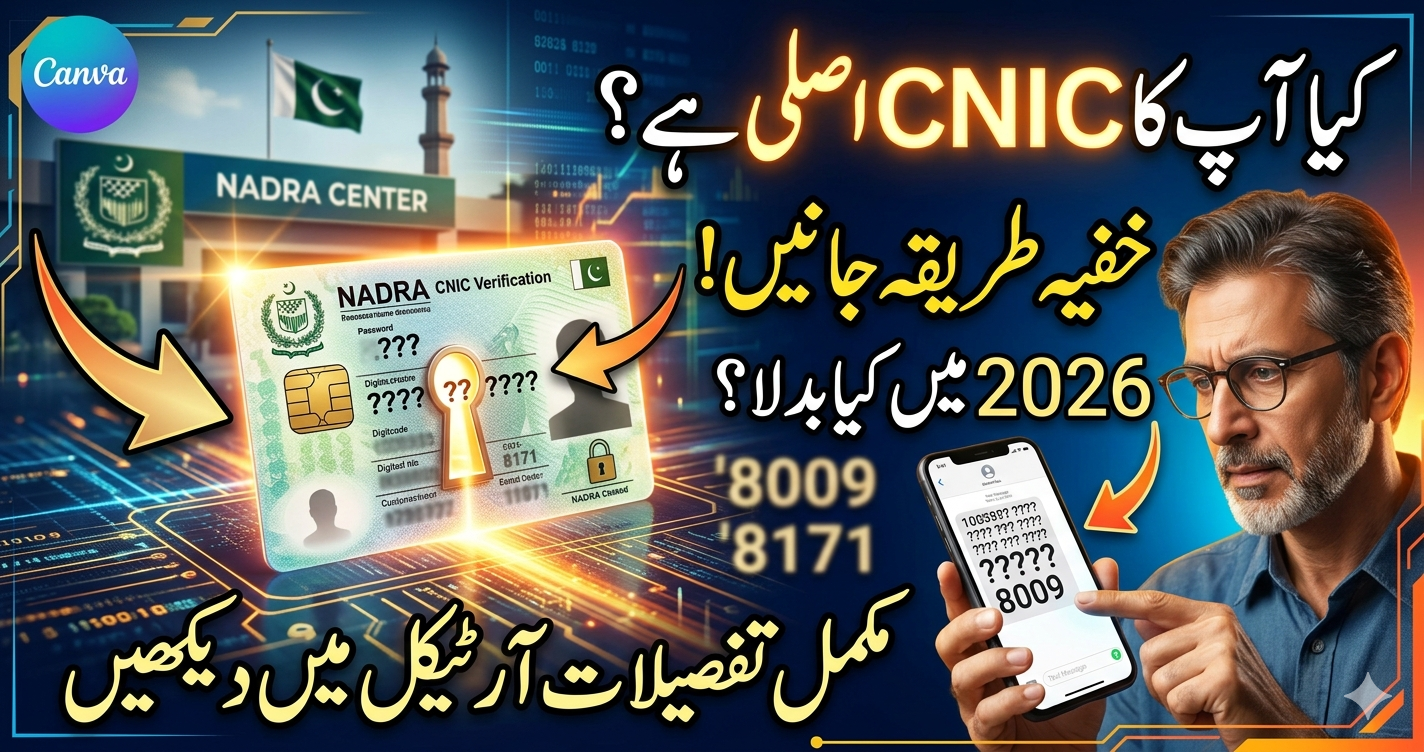
What is NADRA CNIC Verification?
NADRA CNIC verification is a crucial service provided by the National Database and Registration Authority of Pakistan. It ensures the authenticity of an individual’s CNIC (Computerized National Identity Card), enabling citizens to access various government and official services. This process can now be completed online, offering a faster and more convenient alternative to physical verification. In this guide, we will walk you through the entire process of NADRA CNIC verification online, step by step.
What is NADRA CNIC Verification?
NADRA CNIC verification is the process of confirming that the details provided on a Computerized National Identity Card (CNIC) match those in the NADRA database. This verification is necessary for tasks such as voter registration, passport applications, opening a bank account, and more. With online verification, individuals can confirm the authenticity of their CNIC details without visiting a NADRA office.
Step-by-Step Guide for NADRA CNIC Verification Online
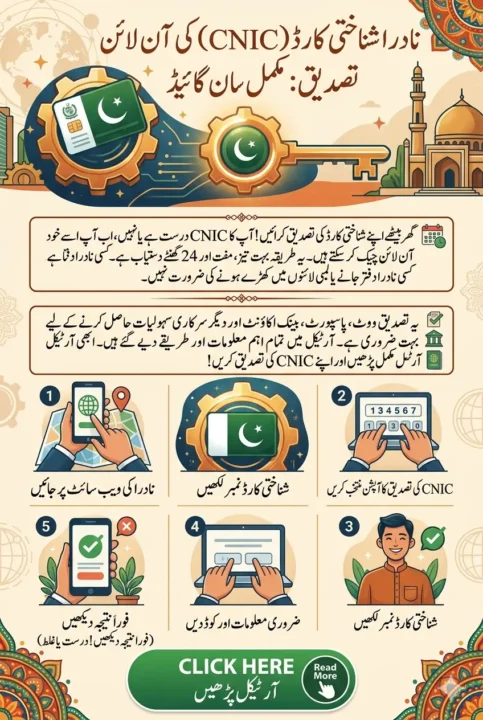
Now, let’s break down the step-by-step process of completing NADRA CNIC verification online.
Step 1: Visit the Official NADRA Website
The first step in the online NADRA CNIC Verification process is visiting the official NADRA website. It’s essential to ensure that you’re on the authentic website to protect your data.
To start, go to NADRA’s official portal. Be cautious of fraudulent websites that may try to steal your information.
Step 2: Select CNIC Verification Option
Once you’re on the NADRA website, locate the CNIC verification section. Typically, this will be under the “Services” or “Online Verification” tab.
Select CNIC Verification from the available options. This will take you to the online CNIC verification page, where you can start the process.
Step 3: Enter Your CNIC Number
On the NADRA CNIC Verification page, you will be required to enter your CNIC number. This number is printed on your CNIC card and is a unique identifier for every Pakistani citizen.
Make sure that the CNIC number is typed correctly to avoid any errors in the verification process.
Step 4: Provide Your Details
After entering your CNIC number, you will be asked to provide additional details for identity verification. This could include:
- Your name (as per CNIC)
- Your father’s name
- Your date of birth
These details will help NADRA cross-check the information in their database. Be sure to enter the information accurately.
Step 5: Solve the CAPTCHA
To ensure that the verification process is being conducted by a human and not an automated bot, you will need to solve a CAPTCHA. This is a simple security measure to protect the website from spam and misuse.
Complete the CAPTCHA as instructed to proceed to the next step.
Step 6: Click on the Verify Button
After filling in all the required information and solving the CAPTCHA, click on the Verify button. This will send the data to NADRA’s database for processing.
Step 7: Review Your Verification Status
Once the verification is processed, you will be presented with the results. The online portal will show one of the following statuses:
- Verified: Your CNIC details match the records in the NADRA database. This means your CNIC is valid, and you can use it for all necessary official purposes.
- Not Verified: If the system cannot verify your CNIC, you may see a “Not Verified” message. In such cases, you should double-check your entered details and try again.
If your CNIC is not verified, there could be issues with the details in the NADRA database, and you may need to visit a NADRA office for further assistance.
Step 8: Take a Screenshot or Print the Results
If your CNIC is verified successfully, you may want to take a screenshot or print the confirmation page for your records. This may be useful for future reference or in case you need to show proof of verification.
Troubleshooting Common Issues
Sometimes, users may encounter problems during the CNIC verification process. Here are a few common issues and how to address them:
- Incorrect Details: Ensure that the CNIC number, name, and other details are entered correctly. Any mistake could lead to a verification failure.
- Server Issues: If the NADRA server is down or slow, you may not be able to complete the verification. Try again after some time.
- Invalid CNIC: If your CNIC has expired or is not yet registered in the NADRA database, the online verification process may fail. In such cases, contact NADRA for assistance.
Read More: Aghosh Programme Card Payment and Cash Withdrawal Guide
Alternative Methods for CNIC Verification
While the online method is convenient, there are other ways to verify your CNIC:
SMS Verification
If you don’t have access to the internet or prefer a quicker method, you can verify your CNIC through SMS. To do so, follow these steps:
- Send your CNIC number to 8009 via SMS.
- You will receive an instant response with the status of your CNIC.
NADRA Mobile App
NADRA also offers a mobile app, which can be downloaded from the Google Play Store or Apple App Store. The app allows you to verify your CNIC, track application status, and access other services on your mobile device.
NADRA Office Visit
If you are unable to verify your CNIC online or face issues, you can visit your nearest NADRA office for manual verification. This method may take longer and involve waiting in line.
Importance of CNIC Verification
The CNIC verification process is vital for ensuring that Pakistani citizens can access a wide range of services. It helps with:
- Voter Registration: Verifying your NADRA CNIC Verification is necessary to ensure you’re correctly registered for voting.
- Passport Applications: You need a verified CNIC to apply for a passport.
- Financial Services: CNIC verification is essential for opening bank accounts and applying for loans.
- Government Services: Many government services require CNIC verification to ensure that you are eligible for benefits or services.
Conclusion
Completing NADRA CNIC verification online is a quick and convenient process that can save you a lot of time. By following the steps outlined in this guide, you can easily verify your CNIC and access various government and official services. If you encounter any issues, don’t hesitate to try alternative methods such as SMS verification or using the NADRA mobile app.